Most of my (non-video game) software projects are private but when I create public stuff, I'll present them here.
MAML Commissioner's Tools
I commission the Mid-Atlantic Mauling League, a Blood Bowl league, and I wrote the software that runs it. Commissioner's Tools is that software: a suite of tools behind maml.club, along with the bots and scheduled jobs that support it. Between them, they keep the league's website, Discord server, Twitch channel, YouTube channel, and social media up to date.
The suite tools are data driven
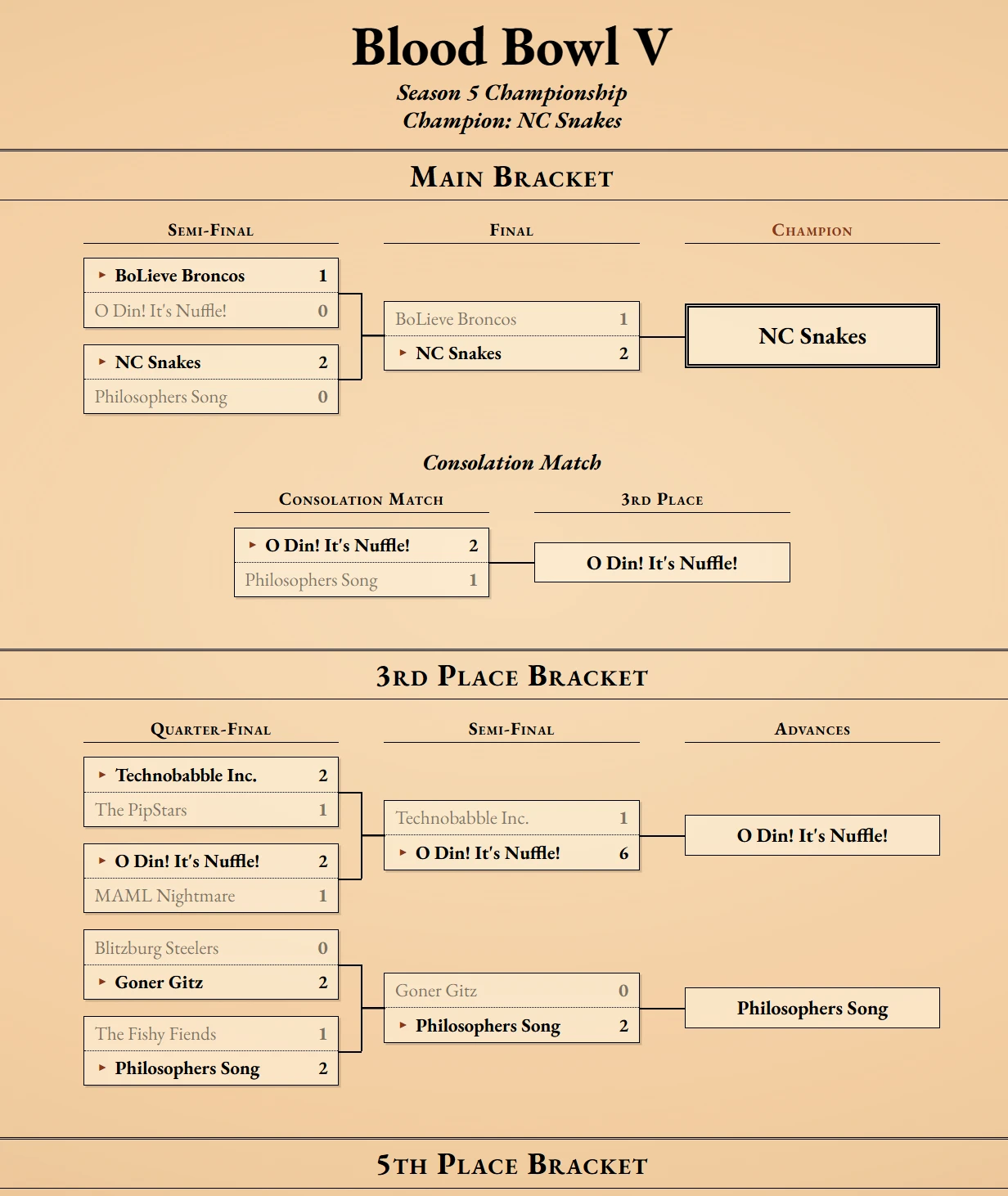
The big goal was to have the bookkeeping be result-driven. That is to say: I enter game results in to a database and those results drive everything else. Every game is a record. Standings, win-loss records, competition points, touchdown differentials, and even the Blood Bowl championship bracket are calculated from those records on demand. Nothing is tallied by hand. The site's navigation is generated from them, too. Competitions, rounds, and pages appear as a season needs them, and every past season stays browsable.


Come playoff time, the brackets fill themselves in as games are played. Each winner is marked and moved on to the next round, all the way to the champion.
The league's whole history works the same way. Historical stats can be grouped by team, faction, or coach and sorted by points, win percentage, wins, losses, draws, touchdowns, etc.


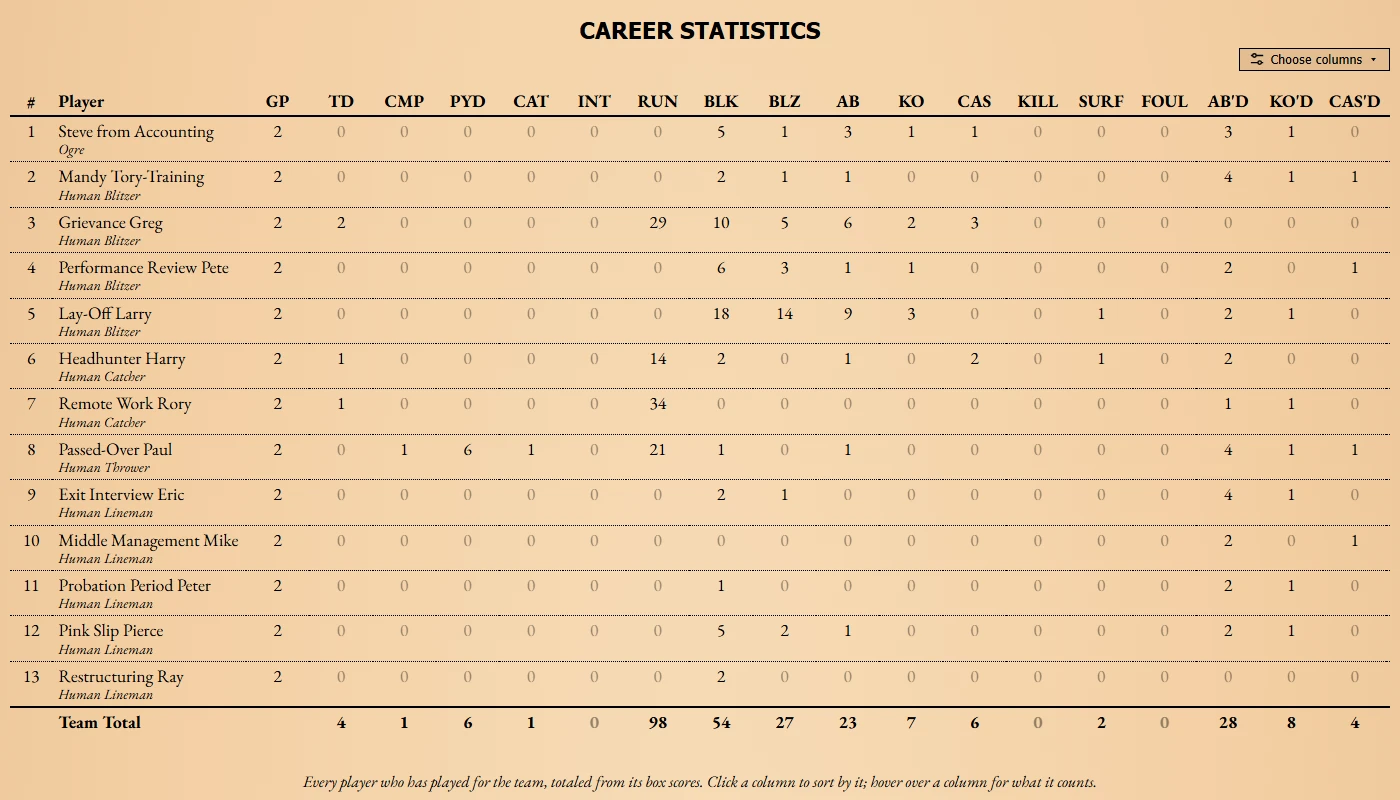
Every game's full box score is stored, too. That's where the finer numbers come from: passes, catches, running yards, blocks, knockouts, casualties, kills, fouls, and star player points for every player in every game. Each team's page lists its roster and every player's career stats, sortable by any column.
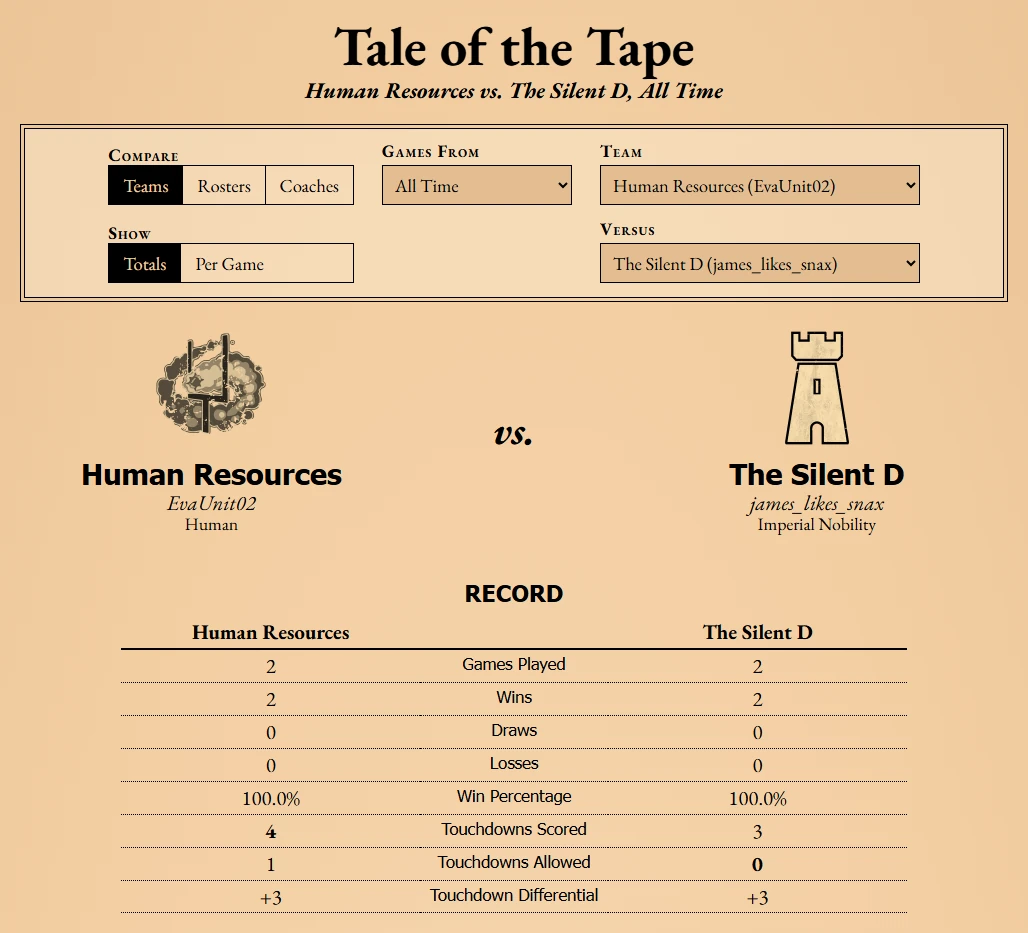
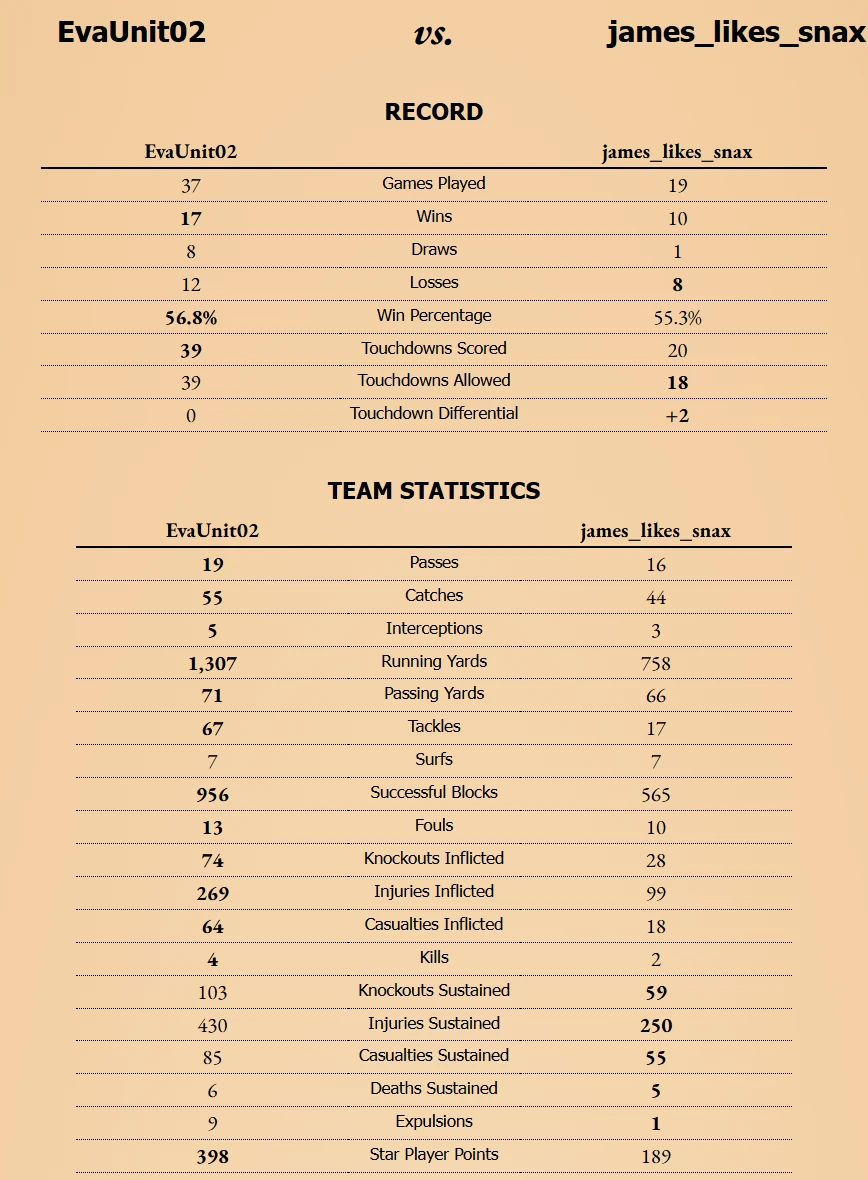
Then there's Tale of the Tape. Pick any two teams, coaches, or rosters and it puts them side by side on every one of those numbers (for a season or all time, as totals or per game) along with their head-to-head games. Comparing rosters lines up both teams' players.
Round scheduling
Once every game in a round has finished, a job checks for the next round and adds its games. Teams and coaches are tracked such that a renamed team or a new coach doesn't break anything: the records stay matched up. The new standings and schedule are posted to Discord along with an announcement that the round has begun and when it ends. Those posts then update themselves as games finish.


Divisional competitions get their divisions by vote. The tools deal every entered team in to three possible sets of divisions, give each coach a private, one-time voting code, and close the vote once everyone has voted. The winning divisions are written straight in to the database, ready for the first round.
Stream videos
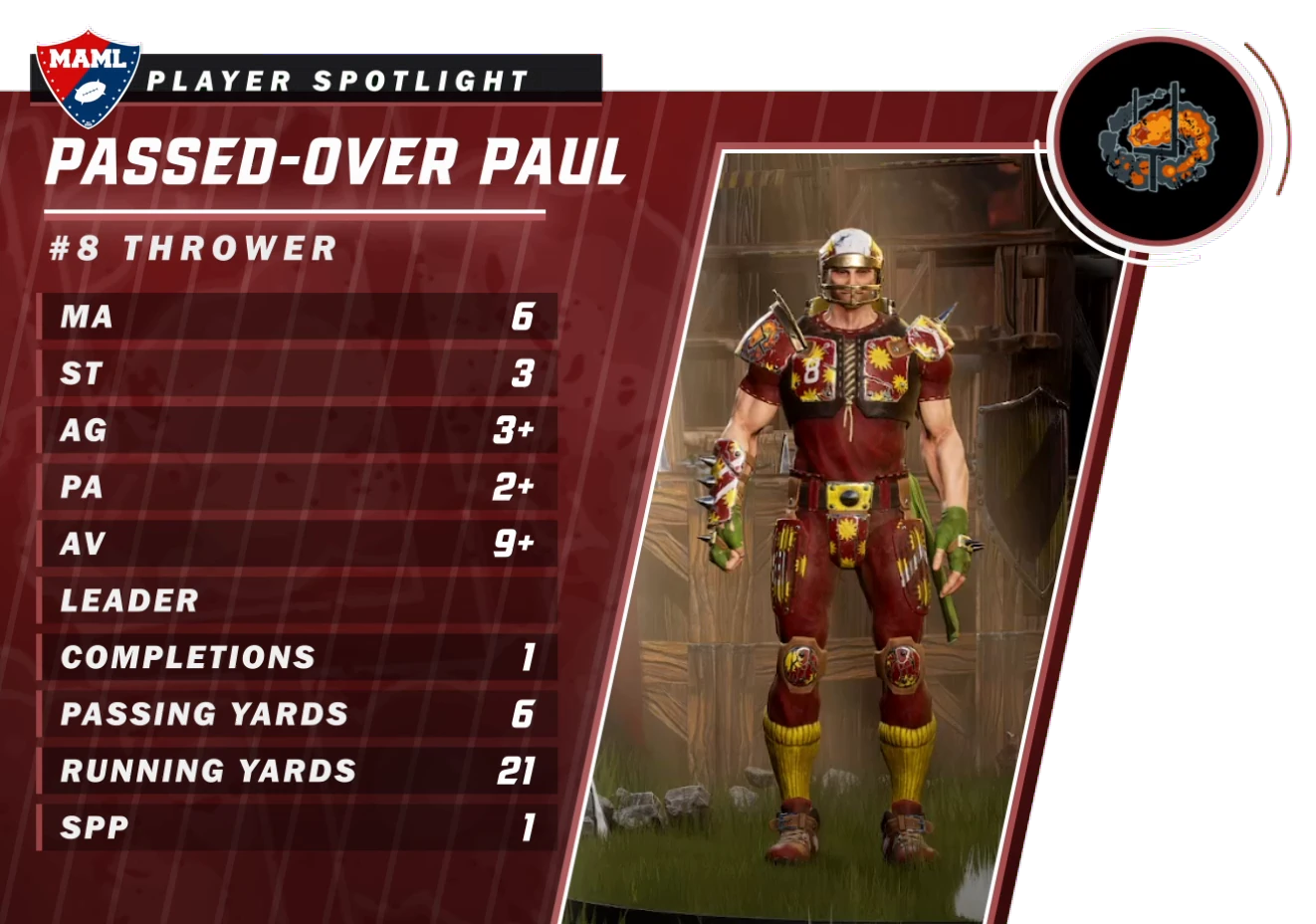
Every streamed game gets its own set of videos: a VS card that doubles as the YouTube thumbnail, a side-by-side comparing the two teams, a "Did you know?" overlay for each coach, and a player spotlight for each team. One tool makes the whole week's set in one go. It reads the schedule for live-streamed games that haven't been played yet and pulls each matchup's numbers from the site. Then, it feeds all of that in to custom Lua scripts that plug in to my video editor.
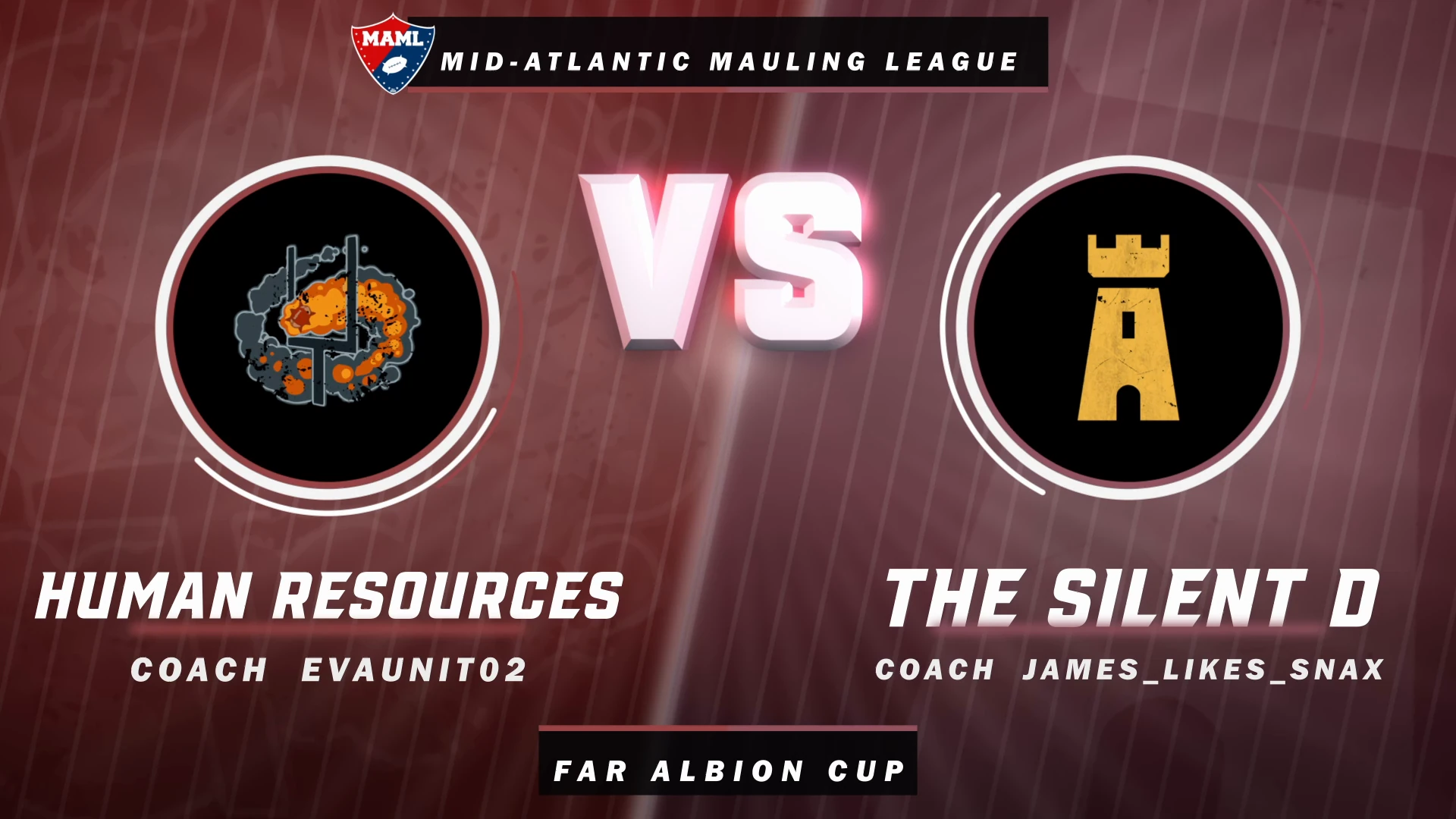
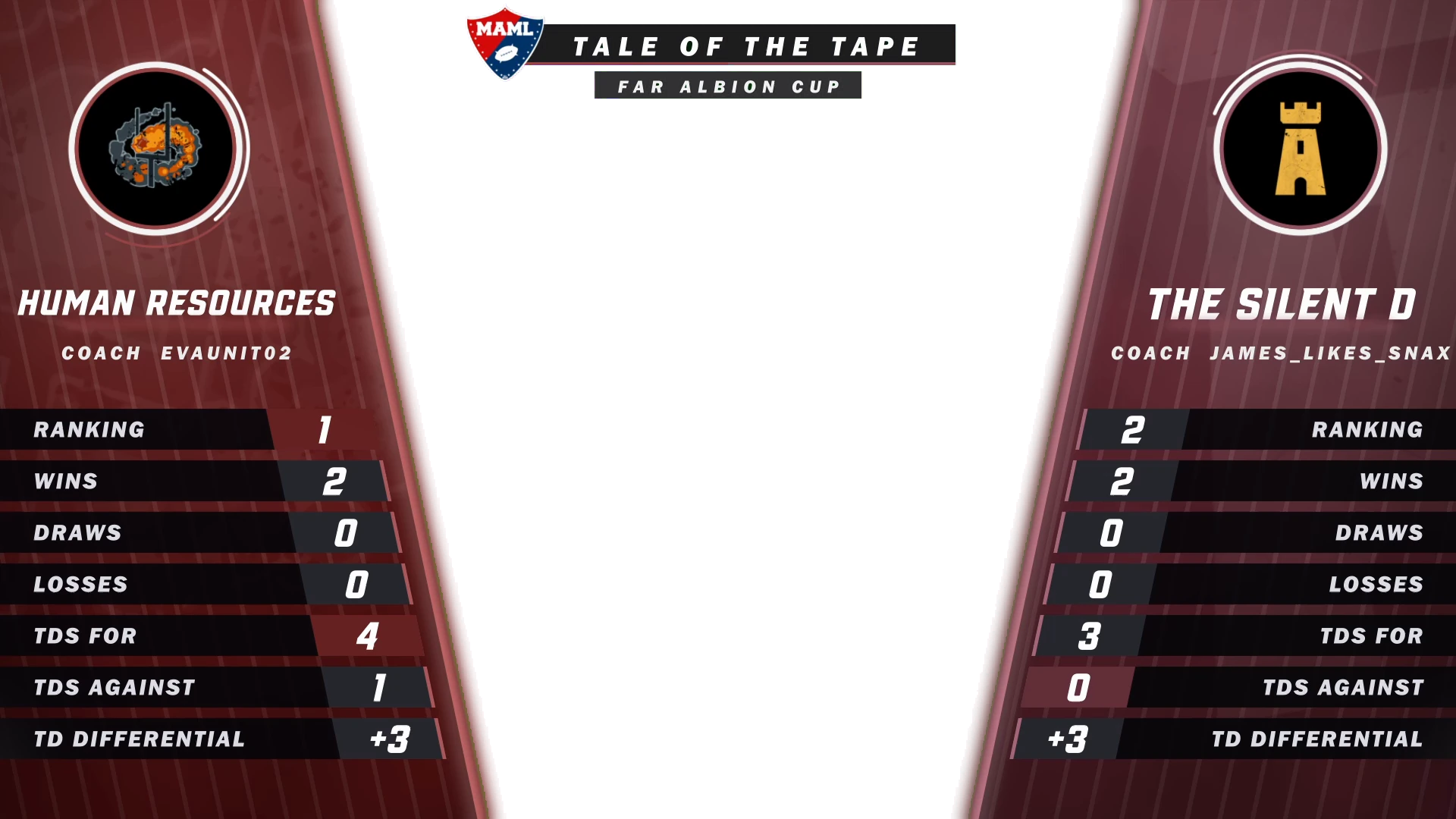
I feed the "Did you know?" facts in to the tool by hand. We're an inviting, friendly league. So, everything on screen stays positive. Each overlay leads with something a coach has done well, e.g., a title, an unbeaten run, or a defense that's hardly conceded.

Player spotlights are made from recordings of the game's player screen. Each recording is checked against the team's roster before it's used. Team info (team name, primary color, coach name, and logo) is fed in to the tool ahead of time and saved for the duration of the competition. Then, the tool renders everything unattended. It also keeps track of what it's made; so, running it again later in the week only makes what's missing, e.g., the videos for a game that just got scheduled to stream.
Stream interstitials
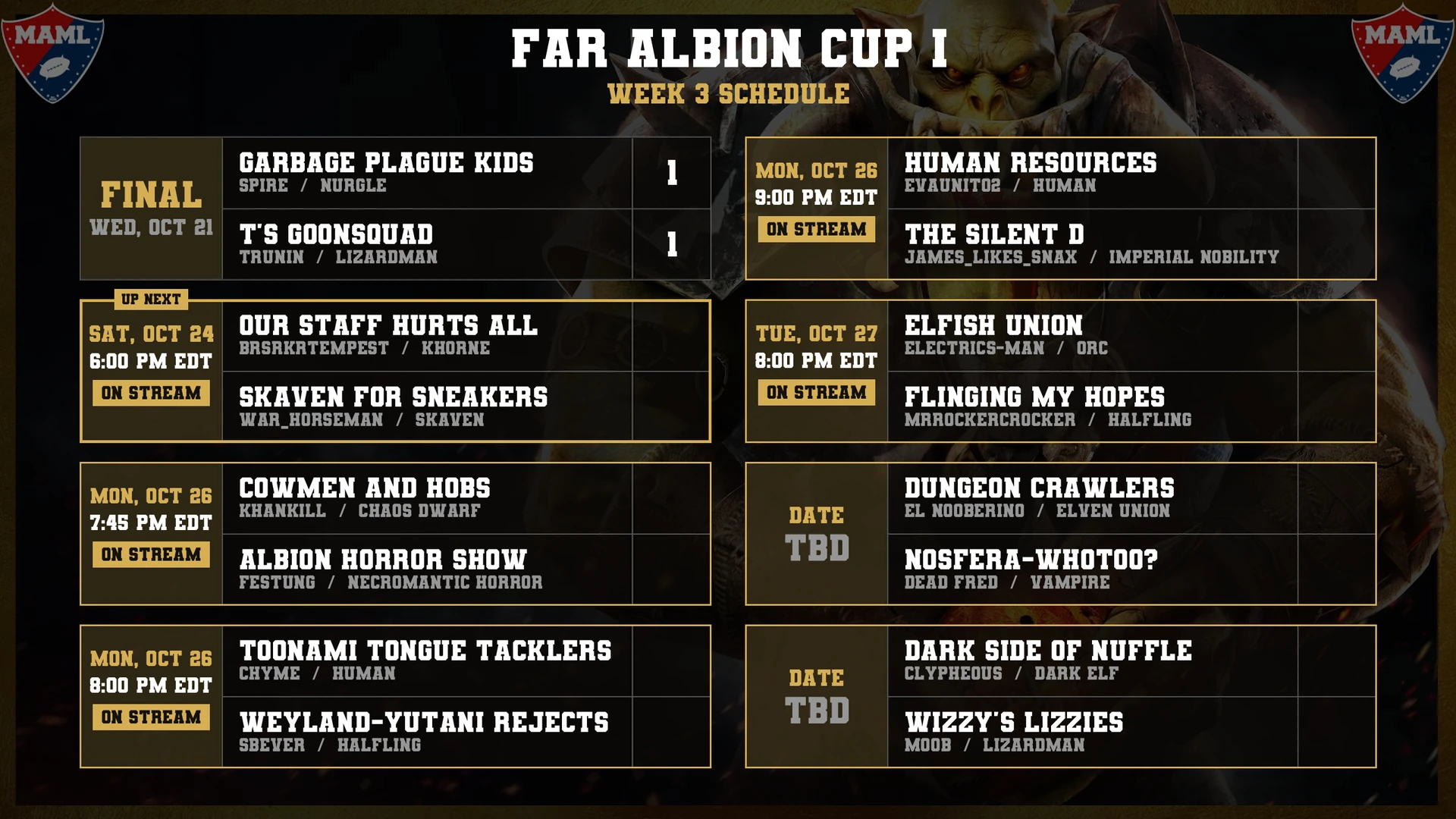
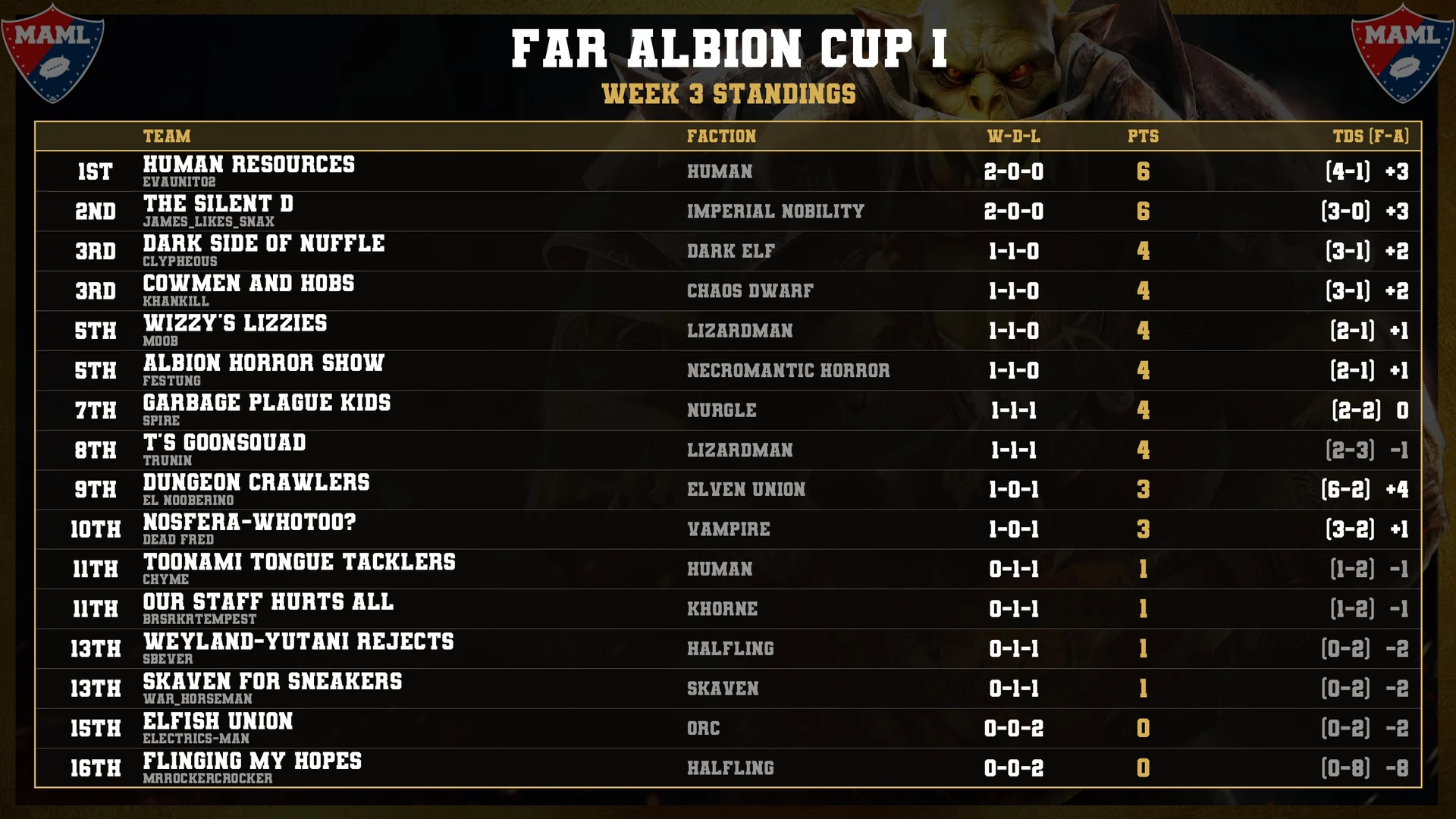
Between segments, the stream shows the round's schedule and the current standings full screen. Neither is ever made by hand. Each is an image drawn from the database every time the stream loads it; so, a result entered a minute ago is already on screen. The schedule shows each game's kick-off time or final score, marks the next game as "Up Next," and tags the games being streamed. During regulation play, the standings mark the cut for the playoff bracket. A divisional competition gets a table per division, and a round or table too big for one screen gets split across screens.
Game day
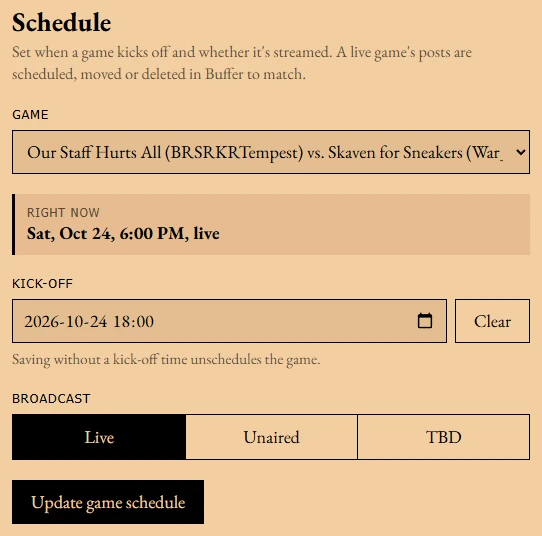
Scheduling a game is one form: set the kick-off time and whether it's streamed. That's it. That schedules the game's posts on Bluesky, X, and Facebook and adds it to the Twitch channel's schedule. Change the time and all of it moves. Clear the time and all of it goes away.
Twenty minutes before kick-off, the game-start post goes up in Discord and anyone who's signed up for game alerts on the site gets a browser or app notification. During the game, the live score and quarter are updated and coaches' followers get alerts as it changes. When the stream ends, the VOD is posted to Discord and social media automatically.
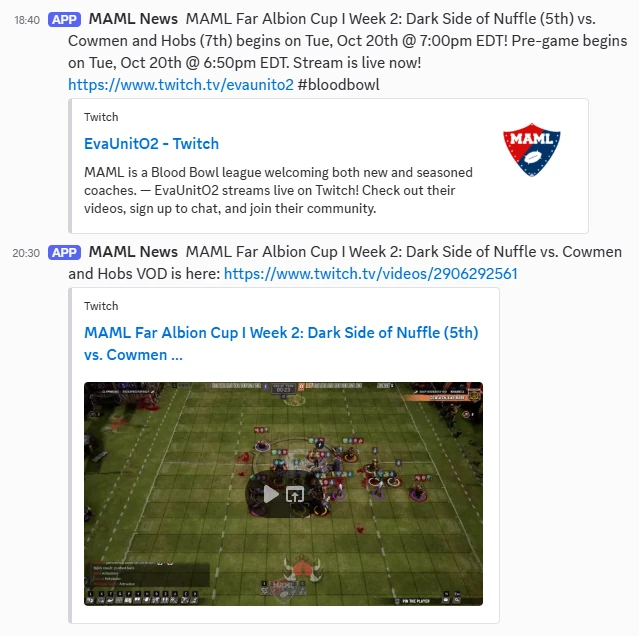
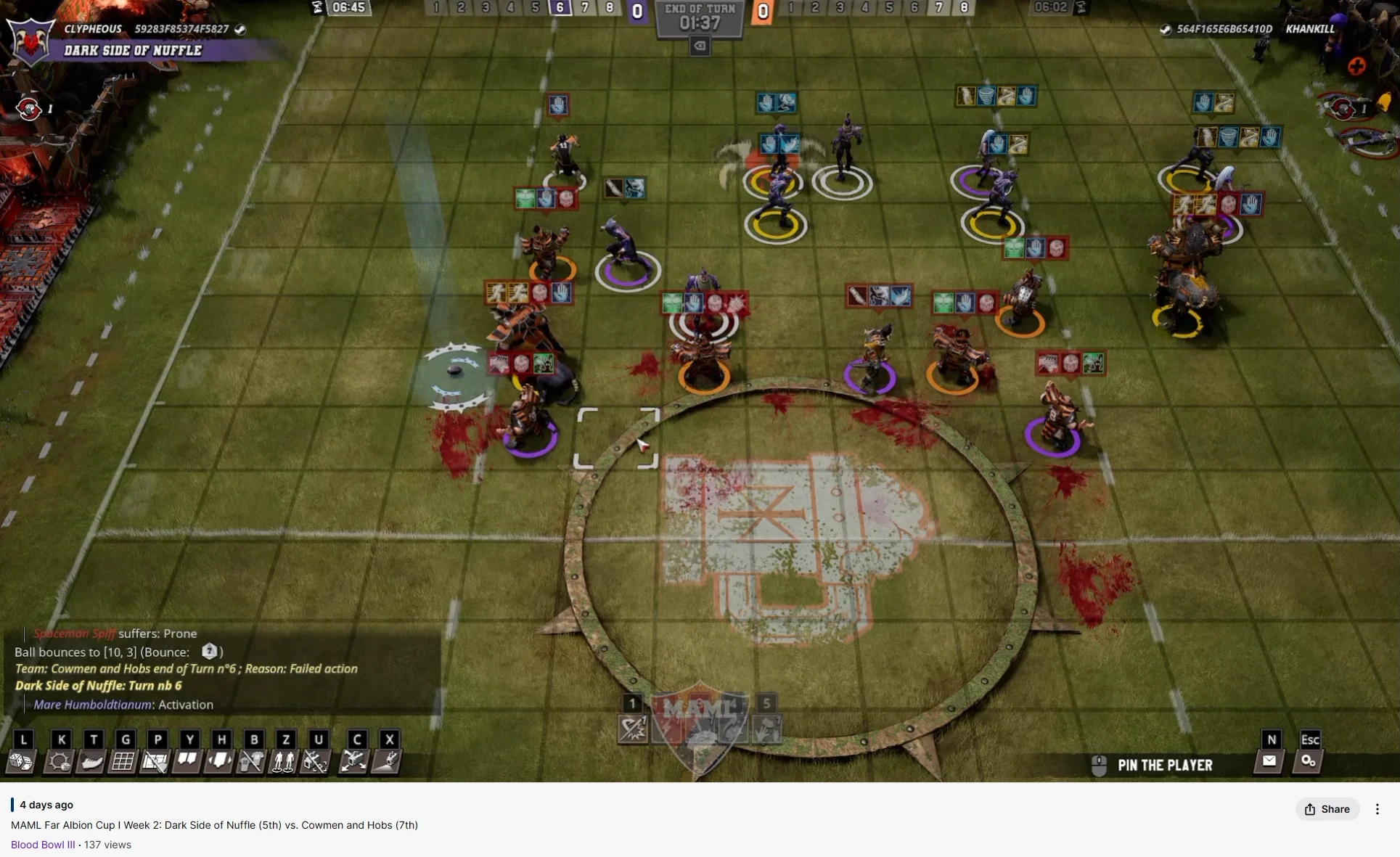
The stream title is written for each game, too. When the stream goes live, the title becomes the competition, the round, and the matchup with each team's place in the standings, e.g., "MAML Far Albion Cup I Week 2: Dark Side of Nuffle (5th) vs. Cowmen and Hobs (7th)." The category gets set to Blood Bowl III. If a title is too long for Twitch, the places are dropped. The title carries over to the VOD; so, every past broadcast is labeled with its game.
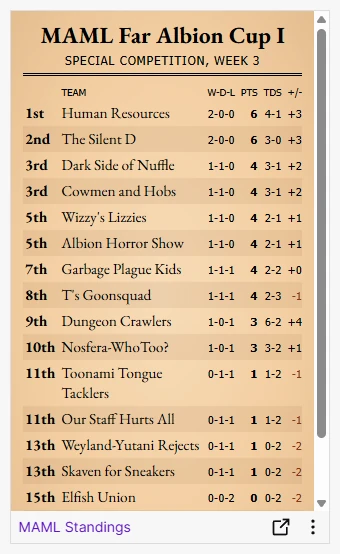
The Twitch channel also has a standings panel: a Twitch extension viewers can open from chat. It reads the standings straight from the site and checks for new ones every five minutes while it's open. So, it's never more than a few minutes behind a result and nobody has to touch it.
After the game
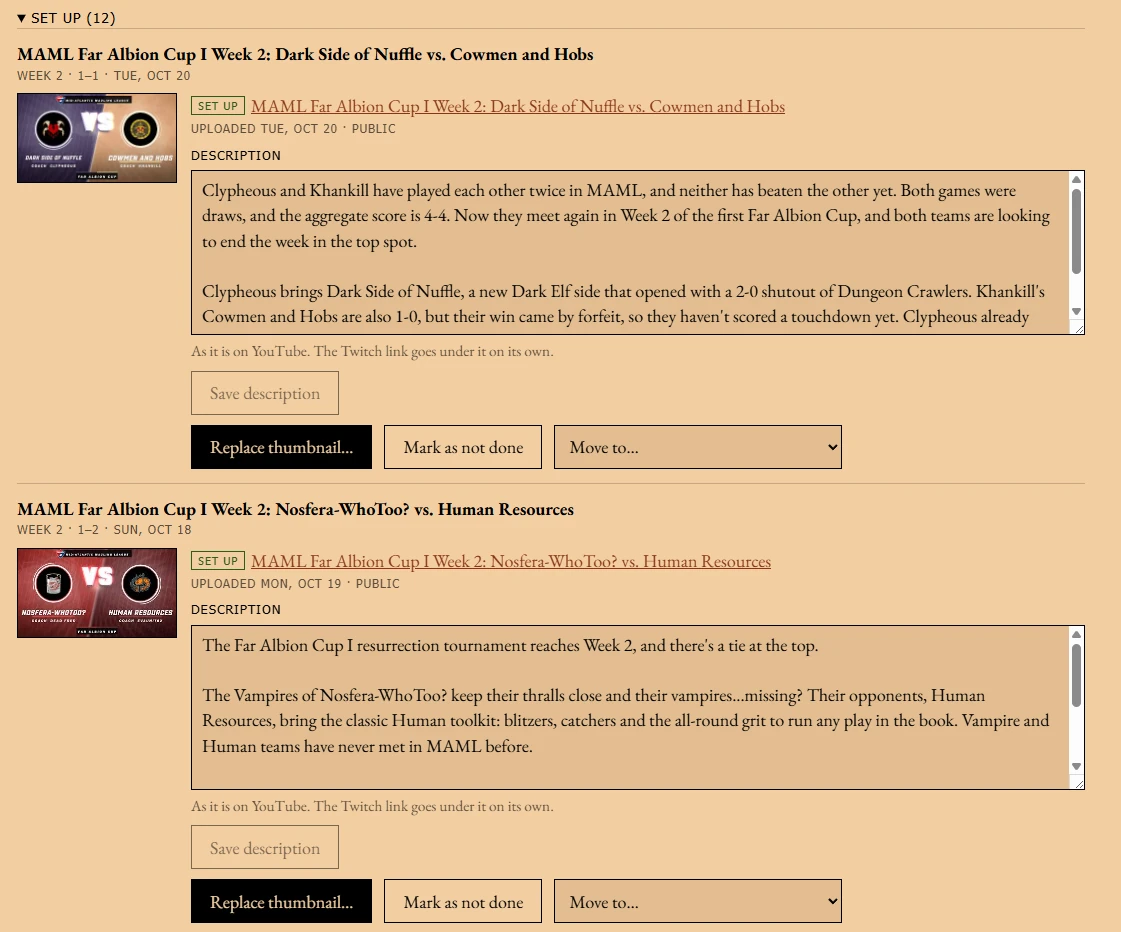
Streams are exported from Twitch to the YouTube channel. The YouTube panel pairs each export with its game and sets the video's title and playlist in one step. Then, I add a thumbnail and a description. Any video that isn't clearly a game video (e.g., the second half of a stream that crashed) can be matched up by hand.
MAMLbot
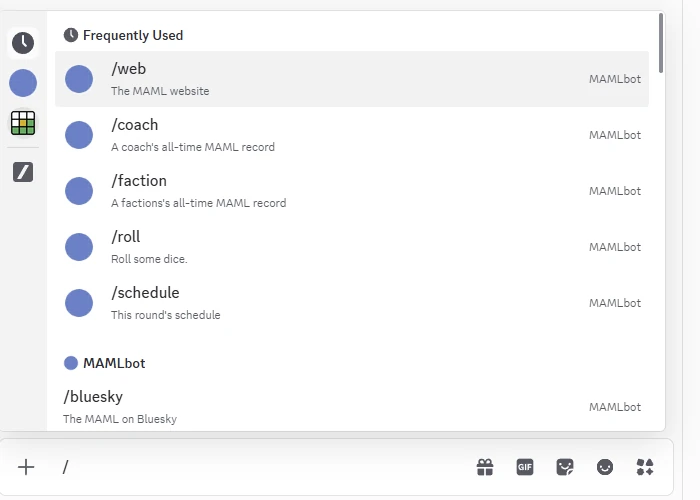
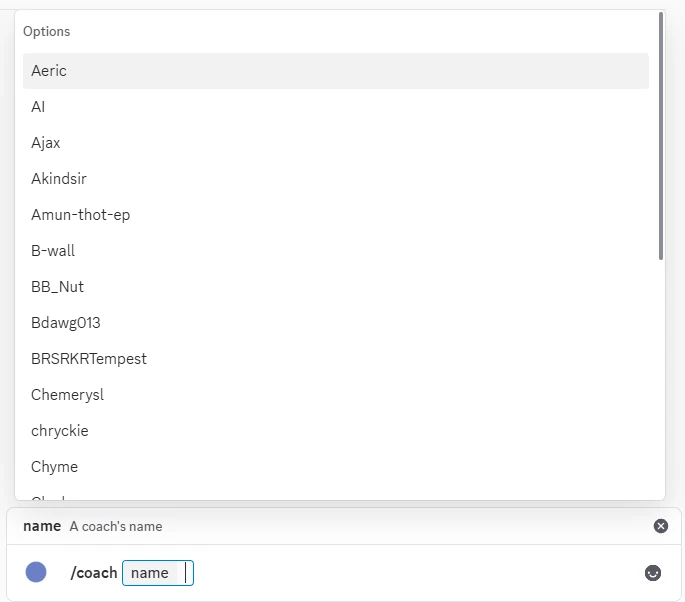
MAMLbot is the league's chatbot in both Twitch chat and Discord. Its commands answer questions about coaches, teams, factions, skills, and odds. It rolls dice. It pulls up the current standings and schedule. Its timers post messages on a schedule, and it gives Twitch chat a heads-up before and after ad breaks.

Discord updates
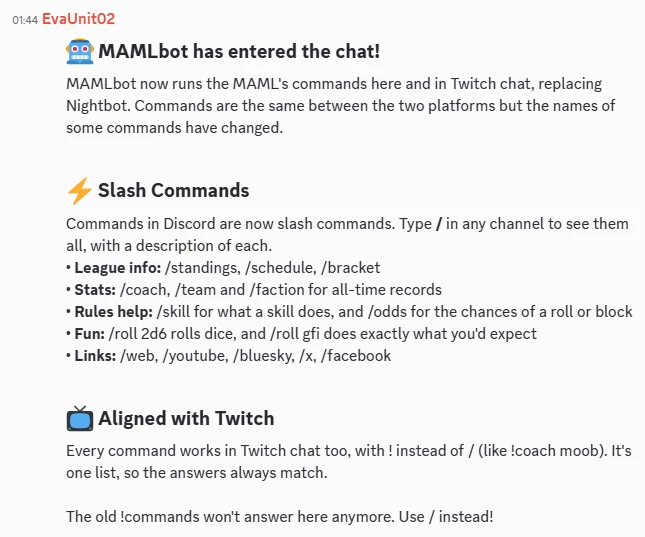
When the site, MAMLbot, or the Twitch channel gets something new, a tool drafts a list of changes for me. It goes through every change since the last posted update and keeps only what coaches and viewers can see or use. Anything behind the scenes is left out. It then sorts the changes in to categories, and I write the "What's New" post for Discord from that. Once an update is posted, it's saved; so, the next one only picks up new changes.
The MAML Gazette
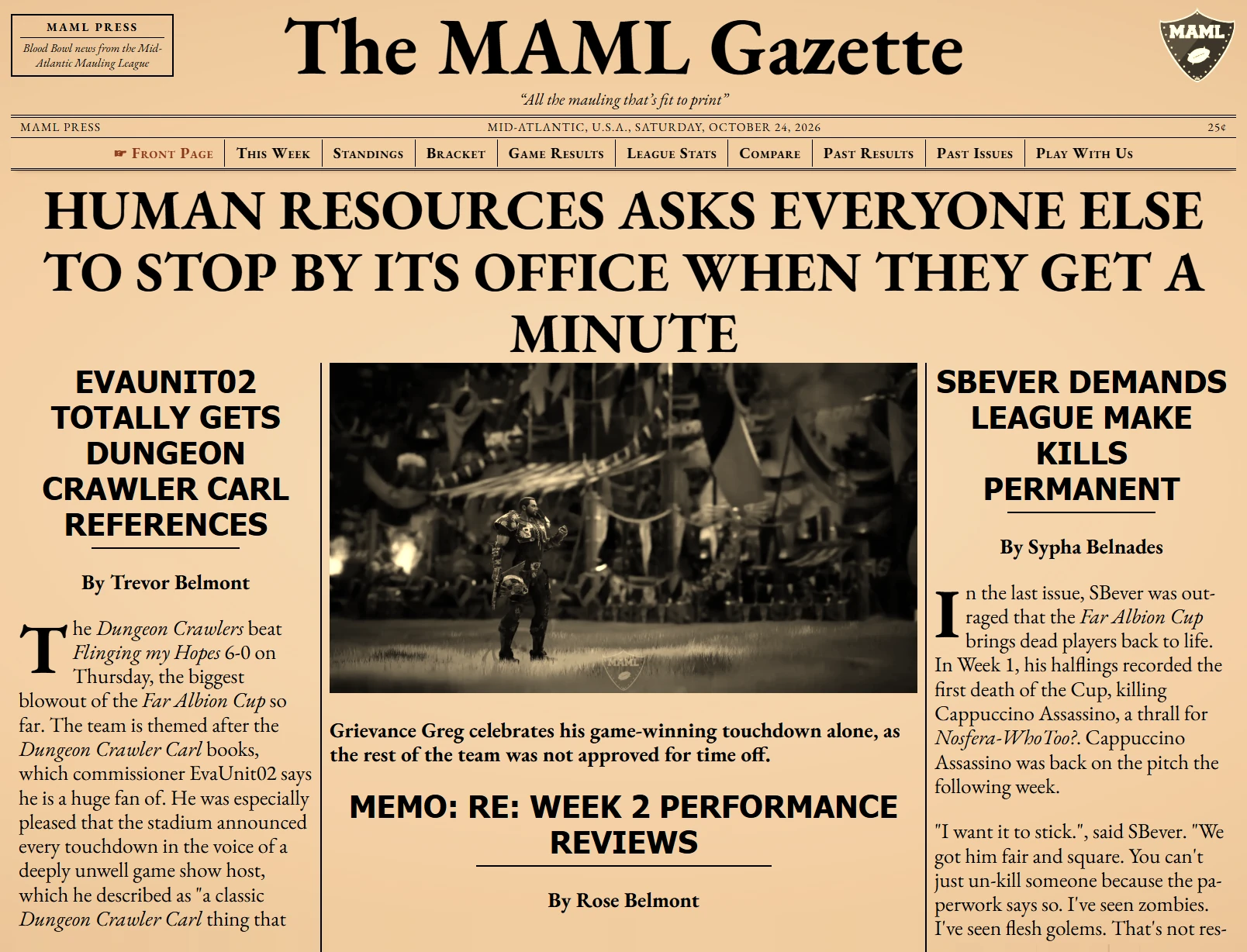
The front page of maml.club is the MAML Gazette, the league's newsletter. I write each issue's articles. A tool handles the rest: it archives the issue, makes the Past Issues thumbnails, and rebuilds the RSS feed. Before it posts the new issue to Discord, it checks that everything has been uploaded, and it makes sure each issue is only ever posted once.
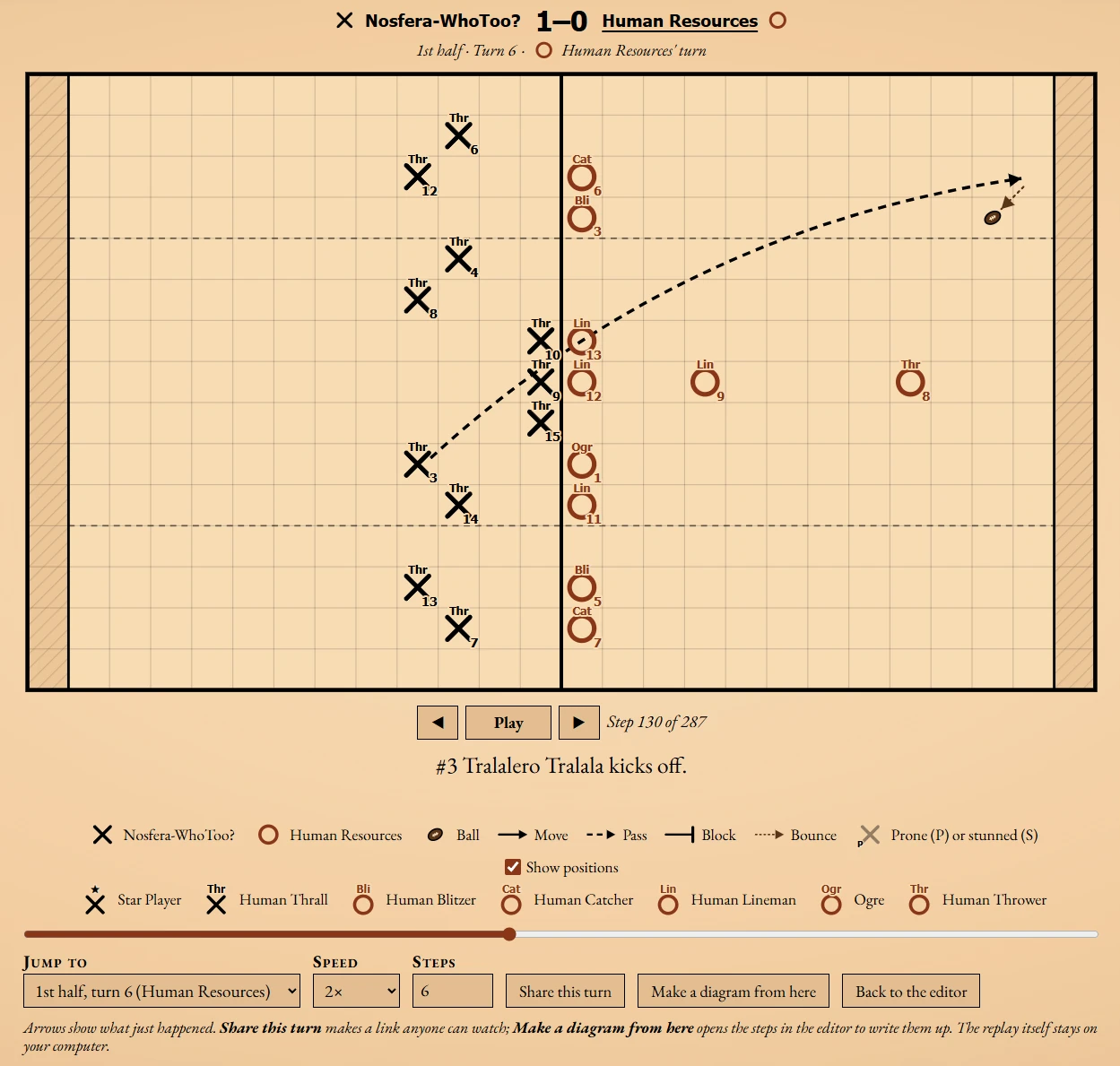
The Gazette also has a Play Viewer for drawing plays on a pitch with Xs and Os. A play is a series of steps, each with its own caption, and arrows for moves, passes, blocks, and bounces. Players can be marked prone or stunned. During playback, the players move along their arrows and the ball flies along its pass. Open it from a game's page and it comes with both teams' rosters; so, every player has a name and a position. The whole play is stored in its link. Sharing a play is just sharing the link, and nothing is saved on the server. On a phone, the pitch turns upright to fit the screen.
The Play Viewer can also play back Blood Bowl III replays. Cyanide doesn't document the replay format; so, I worked it out by taking replay files apart. A replay is read in the browser and never uploaded. Every action in the game becomes a step with its own caption, from the kick-off to the result of each block. Replays can be played at different speeds or jumped to any turn. A Dice Rolls table, like the one at the end of a game in Blood Bowl III, counts every roll for both teams. "Share this turn" makes a link to a single turn that anyone can watch without the replay file. "Make a diagram from here" opens those steps in the editor to be written up as a play.